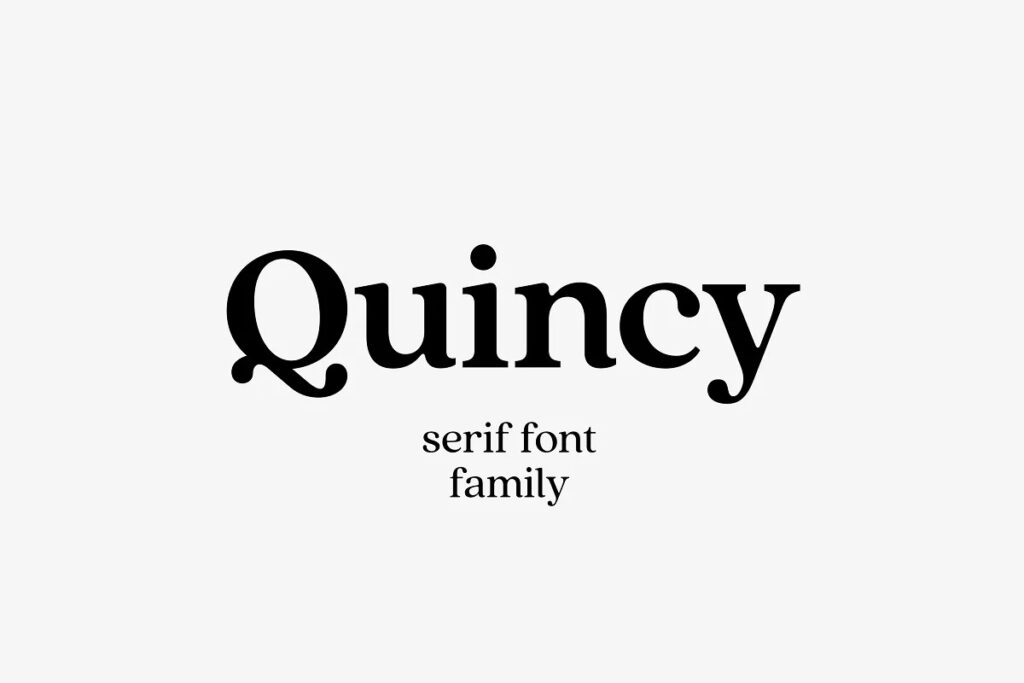







Quincy CF: vintage serif font family is a serif font by Connary Fagen, available as OTF, TTF and WOFF files for $4.99 on TMFonts, or included with membership ($9/month).
About the Product
Quincy’s warm letterforms and medium contrast give any text a smooth, flowing motion. Small variations and human touches add charm, with Quincy’s boldest weights especially strong as large and medium display type.
Recently updated to version 4.1, Quincy now has eight weights – up from five. Every letter has been thoughtfully refined and rebalanced, kerning and language support improved, and overall appearance enhanced with a smoother, flowing, unified new look.
- Eight weights and italics
- OpenType features
- Latin and Cyrillic multilingual support
- OTF file format, plus WOFF/WOFF2/EOT
- Long term support, free features and bug fixes
Questions about Quincy CF: vintage serif font family
Who designed Quincy CF: vintage serif font family?
Quincy CF: vintage serif font family was designed by Connary Fagen. TMFonts credits the designer on every font page, and you can see all of their fonts on the Connary Fagen page.
What file formats does Quincy CF: vintage serif font family come in?
Quincy CF: vintage serif font family comes as OTF, TTF and WOFF files (850 KB download). OTF and TTF install on Windows and macOS and work in design apps such as Photoshop, Illustrator, Canva desktop and Figma; WOFF is for websites.
How much does Quincy CF: vintage serif font family cost?
Quincy CF: vintage serif font family costs $4.99 as a one-time purchase with instant download. It is also included in TMFonts membership ($9/month), which gives unlimited downloads of all 97 fonts in the store. Membership is a one-time payment and does not renew automatically.
Can I use Quincy CF: vintage serif font family for commercial projects?
What you may do with Quincy CF: vintage serif font family, including commercial work, logos, websites and apps, is set by the licence file included in the download (license.txt or EULA). Read it before commercial use; if your project isn't covered, email [email protected] with the font name and how you plan to use it.
How do I install Quincy CF: vintage serif font family?
Unzip the download. On Windows, right-click the OTF (or TTF) file and choose Install. On a Mac, double-click it and click Install Font. Restart your design app if it was open. For a website, upload the WOFF file and load it with @font-face.
Customer reviews
No reviews yet. Bought this font? Be the first to share how you used it.
Reviews come from verified buyers only. Log in to review this font