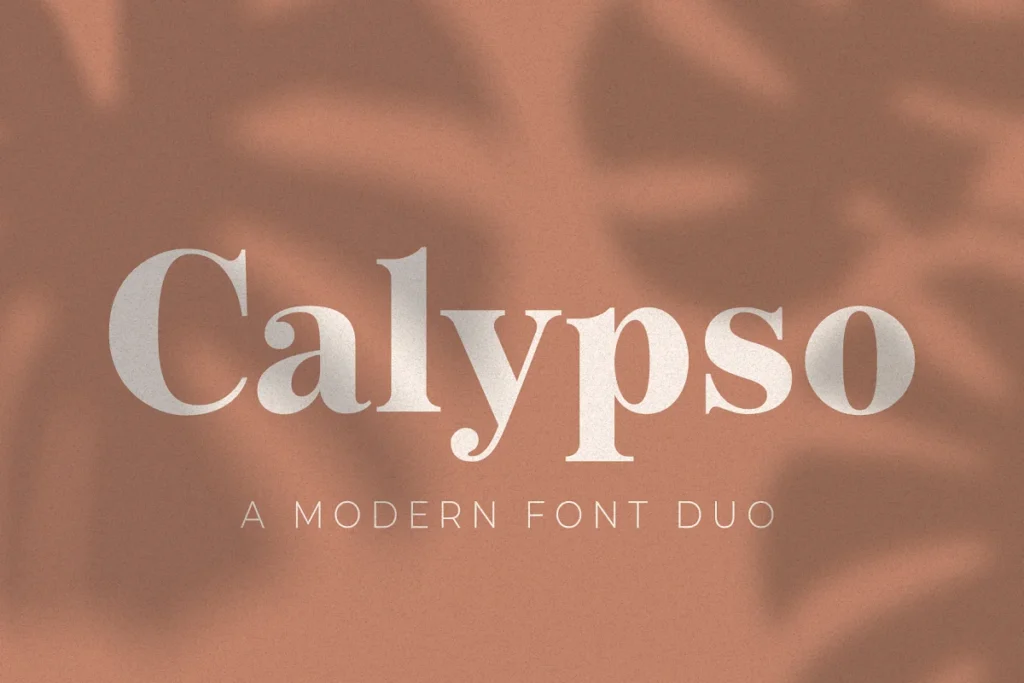






Calypso Display Font is a display font, available as OTF, TTF and WOFF files for $4.99 on TMFonts, or included with membership ($9/month).
Calypso is a modern serif and sans serif duo. Perfect for all sorts of projects such as logo design, branding, web design, packaging, social media, and so much more!
Features:
- OTF, TTF, WOFF, and WOFF2 (for desktop and web use)
- Upper and lowercase letters
- Numbers and punctuation
- Accented characters for the international designer
Need Help Accessing the Alternate Ampersand?
The fancier looking ampersand is an alternate character which is an OpenType feature, so. you want to make sure that you at least install the OTF file (OpenType Font).
Once the font is installed you can access the alternate ampersand by opening the glyphs panel/menu in whichever application or program you are using.
If you’re using Adobe Photoshop, select the Type tool (T) and make sure you have Calypso-Serif selected and go to Window Glyphs and then double-click on the ampersand.
If using Adobe Illustrator, you’ll go to Window Type Glyphs. There are plenty of other ways to access the alternate ampersand outside of Adobe applications, like with MS Word or with your computer’s font manager (ex. Font Book).
Questions about Calypso Display Font
What file formats does Calypso Display Font come in?
Calypso Display Font comes as OTF, TTF and WOFF files (38 KB download). OTF and TTF install on Windows and macOS and work in design apps such as Photoshop, Illustrator, Canva desktop and Figma; WOFF is for websites.
How much does Calypso Display Font cost?
Calypso Display Font costs $4.99 as a one-time purchase with instant download. It is also included in TMFonts membership ($9/month), which gives unlimited downloads of all 95 fonts in the store. Membership is a one-time payment and does not renew automatically.
Can I use Calypso Display Font for commercial projects?
What you may do with Calypso Display Font, including commercial work, logos, websites and apps, is set by the licence file included in the download (license.txt or EULA). Read it before commercial use; if your project isn't covered, email [email protected] with the font name and how you plan to use it.
How do I install Calypso Display Font?
Unzip the download. On Windows, right-click the OTF (or TTF) file and choose Install. On a Mac, double-click it and click Install Font. Restart your design app if it was open. For a website, upload the WOFF file and load it with @font-face.
Customer reviews
No reviews yet. Bought this font? Be the first to share how you used it.
Reviews come from verified buyers only. Log in to review this font